
In short
A financial control agent spends the afternoon reconciling invoices with purchase orders. At each step it calls a tool, gets a result and adds that result to what it was already carrying. At some point the accumulated volume approaches the limit the model accepts in a single call, and the quality of the answers had started to drop well before that. This space is the context window. How it is filled sets cost and quality, and it depends on the Company Brain, the layer that knows the company: what data exists, where it lives, how it connects and who may see what.
System instructions, tool descriptions, examples, conversation history, results of earlier steps, retrieved documents and records. All of it goes into the same space, measured in tokens, the fragments of text the model processes and the provider charges for. Whatever stays outside the context window plays no part in the answer.
The maximum size varies by model and has grown considerably in recent years. Available space and well-used space are still different measures.
A guide to context engineering for agents published in September 2025 brings together observations on this behaviour. As the number of tokens grows, the model's precision in recalling a specific piece of information inside the context window tends to drop. It happens in every model, at different rates, and has been nicknamed context rot.
The explanation lies in the architecture. In a transformer, every token is related to every other token, and the number of pairs grows much faster than the number of tokens. The guide describes this limit as a finite attention budget, where every token added uses up a share of it.
Hence the central principle: look for the smallest set of high-signal tokens that makes the desired outcome likely. Every component of the context window goes through that filter.

An instruction can go wrong in two directions. One is hard-coding rigid logic, full of conditions, that breaks on the first unforeseen case and needs maintenance every time a process changes. The other is vague guidance, such as asking the agent to be careful with discrepancies, which assumes context the model never received.
The right altitude sits between the two. In the financial control agent, the instruction defines what counts as a relevant discrepancy, asks that each one cite both source documents and leaves the order of the analysis open. Separate sections for role, rules, tools and output format make review easier.
Each tool enters the window with its name, description and parameters. A large set with overlapping tools, such as three ways to look up a supplier, spends tokens and creates ambiguous choices. The guide's test is simple: if an engineer cannot say which tool to use in a given situation, the agent is likely to get it wrong too.
The same goes for examples. A long list of edge cases tries to cover every rule and bloats the window. A few varied, representative examples show the expected behaviour with fewer tokens.
The common practice is to load everything that might be useful at the start. The alternative described in the guide is for the agent to keep light references, such as an order identifier, a file path or a saved query, and fetch the content through a tool when the step needs it.
The two approaches are often combined. Part of the context arrives at the start, for speed, and the rest is fetched during the task. Just-in-time retrieval costs execution time and depends on references that point to something that can be queried.
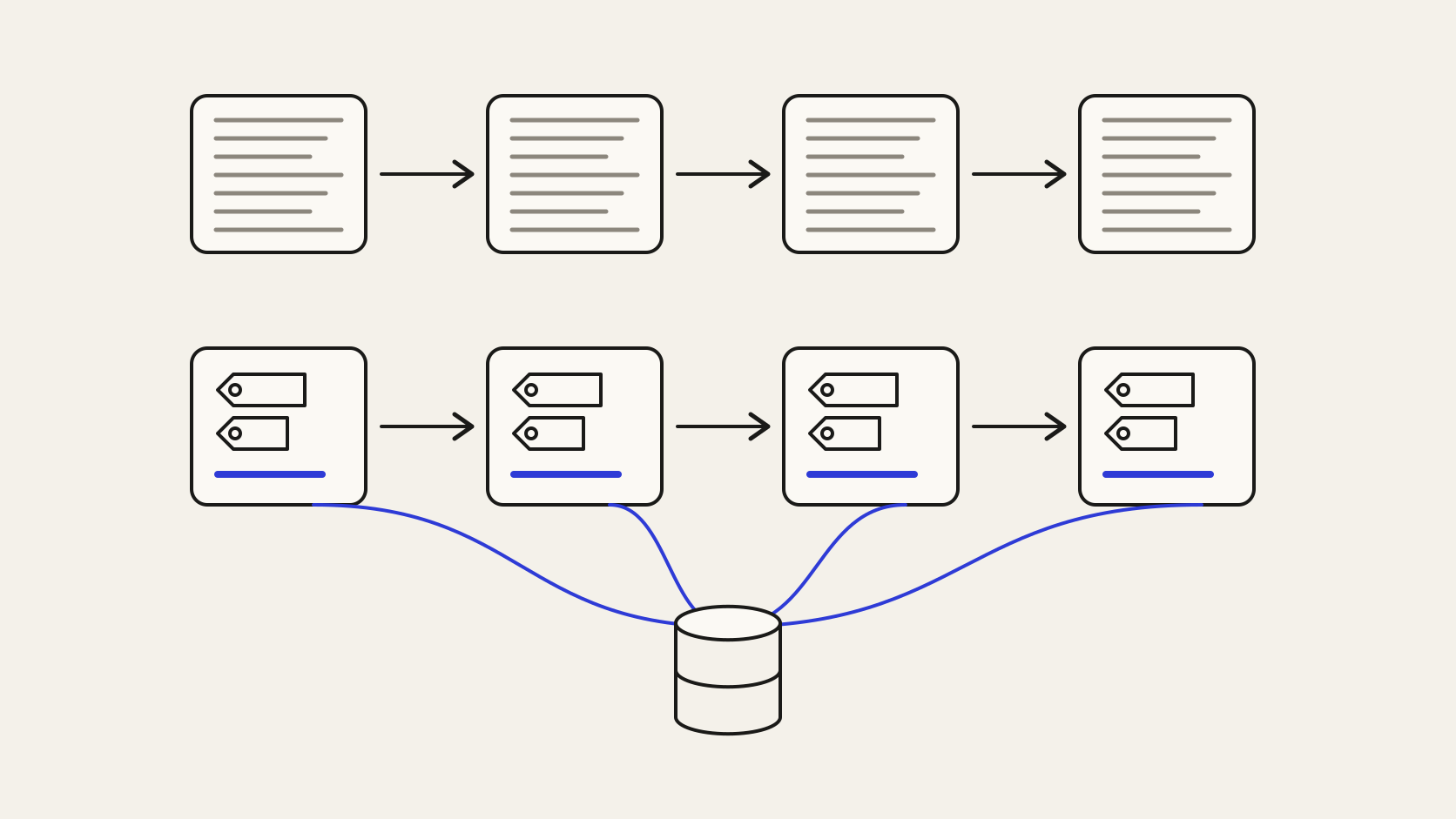
In tasks with many steps, the history grows beyond what fits or what is worth keeping. Three techniques deal with this:
In a multi-step agent, the history is resent on every call. Compacting that history lowers the cost per token of the whole task, and a lean window lets simple steps run on smaller models.
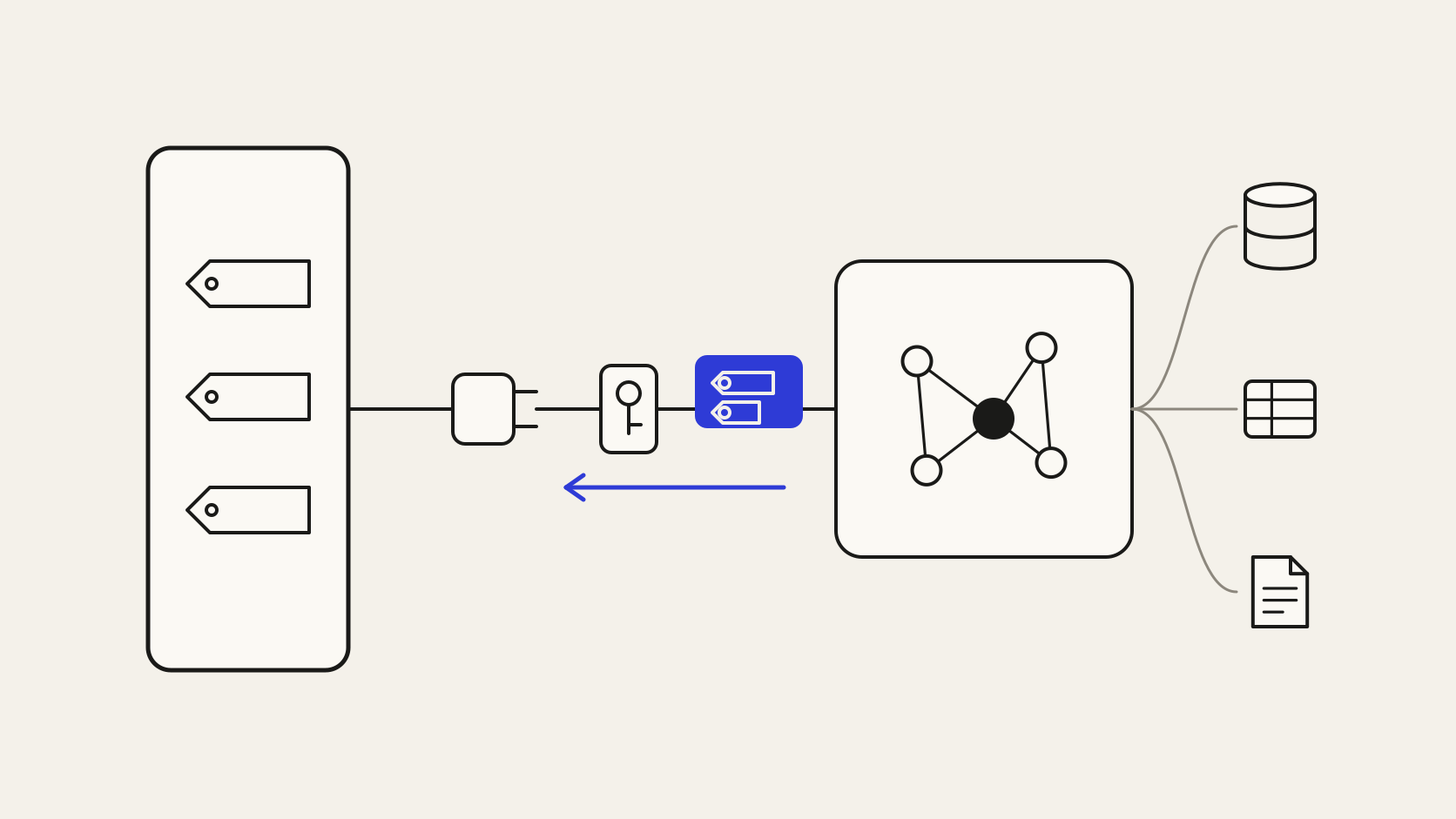
In the Company Brain, the light reference is the entity in the knowledge graph: the identifier of the customer, the contract or the order. The agent keeps the identifier and, when the step needs it, asks for the slice over MCP, the open protocol that connects models to data sources.
The slice arrives resolved. The business ontology has already defined what each term means, the semantic layer has taken the question to the right source and permissions have been inherited from the source system. What enters the context window is the records and relationships the step needs, each with its source, and a single context endpoint takes the place of several overlapping tools.
Curation does not fix bad data at the source. If the ERP has a duplicated order, the slice arrives with the duplicate. Compaction can also discard a detail that turns out to be needed later, so summaries have to be evaluated on real tasks.
The practical starting point is to pick, in an agent already in production, a set of documents loaded on every call. It is replaced with identifiers and just-in-time retrieval, and the team compares cost and accuracy on the same tasks. The sources the agent starts querying most often show where the first Company Brain slice should begin.